☕ JDatePicker

✨ Updated for Java 17 & 21 📦 Maven Central 📜 BSD License

Features

Everything you need for date selection in your Swing application

🎯

MVC Architecture

Clean Model-View-Controller design enables integration with any date object including java.time.LocalDate, Calendar, and Date.

🎨

Two Components

JDatePicker provides a popup date picker, while JDatePanel offers an embeddable calendar component.

Java 17 & 21 Ready

Fully updated and tested for modern Java versions while maintaining backward compatibility.

🌍

Localization

Built-in support for multiple languages and locales with customizable date formats.

📅

Date Constraints

Easily restrict selectable dates using built-in constraints like weekday-only selection.

Customizable

Customize colors, formats, icons, and text to match your application's look and feel.

Screenshots

See JDatePicker in action
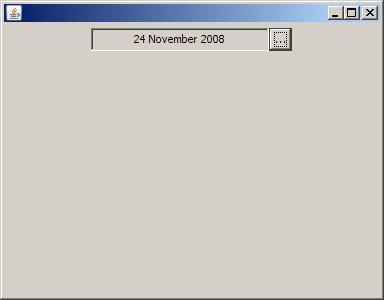
JDatePicker collapsed view

JDatePicker - Collapsed

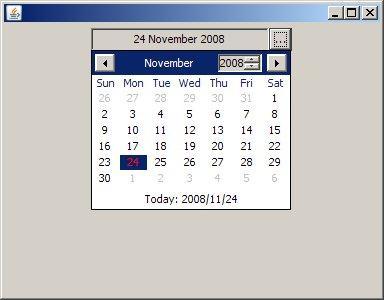
JDatePicker popup dialog

JDatePicker - Popup Dialog

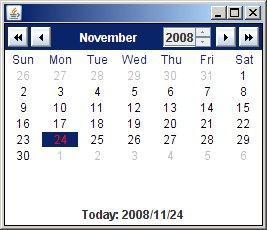
JDatePanel embedded

JDatePanel - Embedded

Installation

Add JDatePicker to your project in seconds

📦 Maven

<dependency> <groupId>org.jdatepicker</groupId> <artifactId>jdatepicker</artifactId> <version>2.0.0</version> </dependency>

🐘 Gradle

implementation 'org.jdatepicker:jdatepicker:2.0.0'

Quick Start

Get up and running with just a few lines of code

Basic JDatePicker (Popup)

import org.jdatepicker.JDatePicker; // Create a date picker with popup calendar JDatePicker datePicker = new JDatePicker(); // Add to your panel panel.add(datePicker); // Get the selected date Calendar selectedDate = (Calendar) datePicker.getModel().getValue();

Embedded JDatePanel

import org.jdatepicker.JDatePanel; // Create an embedded calendar panel JDatePanel datePanel = new JDatePanel(); // Add directly to your container frame.add(datePanel);

Using with java.time.LocalDate

import org.jdatepicker.JDatePicker; import org.jdatepicker.LocalDateModel; // Create a model for LocalDate LocalDateModel model = new LocalDateModel(); // Create picker with LocalDate model JDatePicker datePicker = new JDatePicker(model); // Get selected date as LocalDate LocalDate date = model.getValue();

Customizing Appearance

import org.jdatepicker.ComponentColorDefaults; import java.awt.Color; // Customize colors globally ComponentColorDefaults.getInstance() .setColor(ComponentColorDefaults.Key.FG_MONTH_SELECTOR, Color.BLUE);